Quote Submission Guide
Would you like to share a memorable quote from a book with others? Follow the steps below to easily submit your favorite quote!
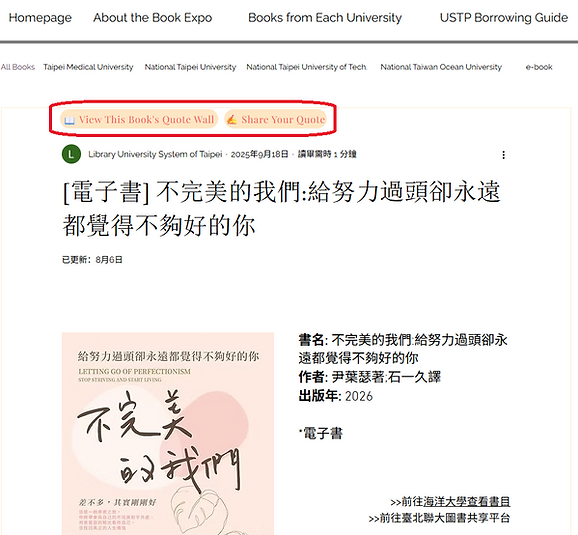
1. Go to the “Books from Each University” page and find the book from which you would like to share a quote. Click the book title to enter the book’s information page.


2.On the book’s information page, you will see two buttons: “View This Book’s Quote Wall” and “Share Your Quote”
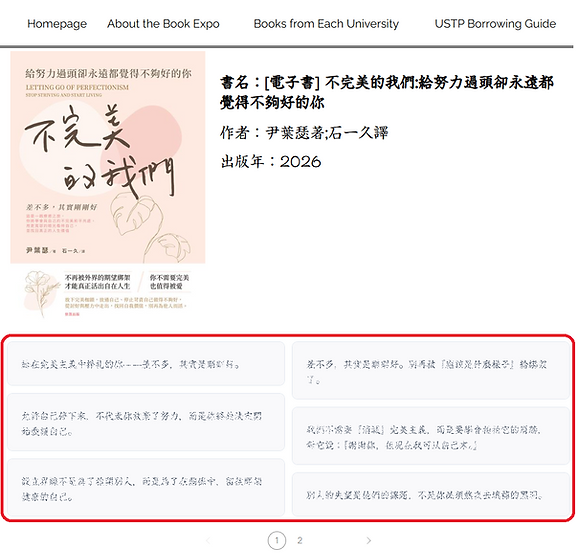
3.Click “View This Book’s Quote Wall” to view the book’s information and the Quote Wall below it. The Quote Wall displays 10 quotes per page. If there are more than 10 quotes, click the page numbers to browse additional pages.
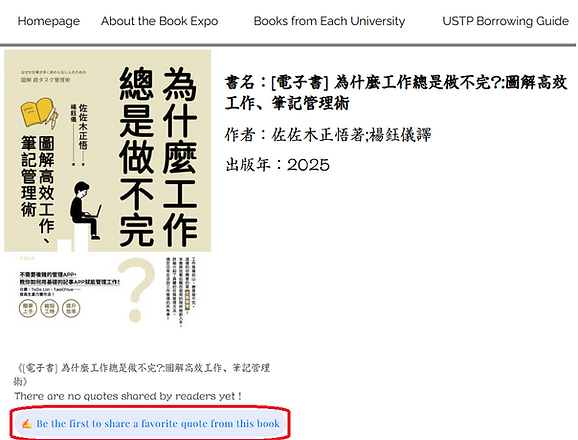
4. If no reader has shared a quote from this book yet, the “Be the first to share a favorite quote from this book” button will appear below.
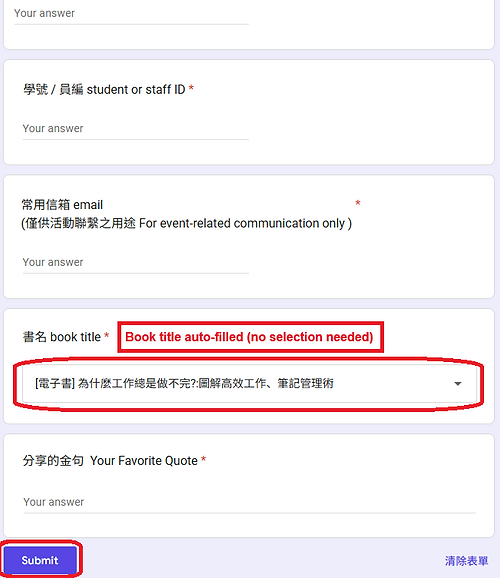
5.Click “Share Your Quote” in Step 2 or “Be the first to share a favorite quote from this book” in Step 4. A submission form will open on a separate webpage. Please enter your basic information and the quote you would like to share. The book title will be automatically filled in, so you do not need to select the book again. After you submit your quote, it will appear on the Quote Wall for that book described in Step 3, where you can share it with other readers!